Saved addresses and faster tracking
31 October 2026 · Version 2026.10.31.1
- NewSave addresses at checkoutPick a saved address next time you order, or add a new one.
- ImprovedFaster order status updates
- FixedReceipts show the right currency
Record each change with its pull request, ship it with the deploy that carries it, publish it on your own changelog site, and tell the people who asked for it.
Request access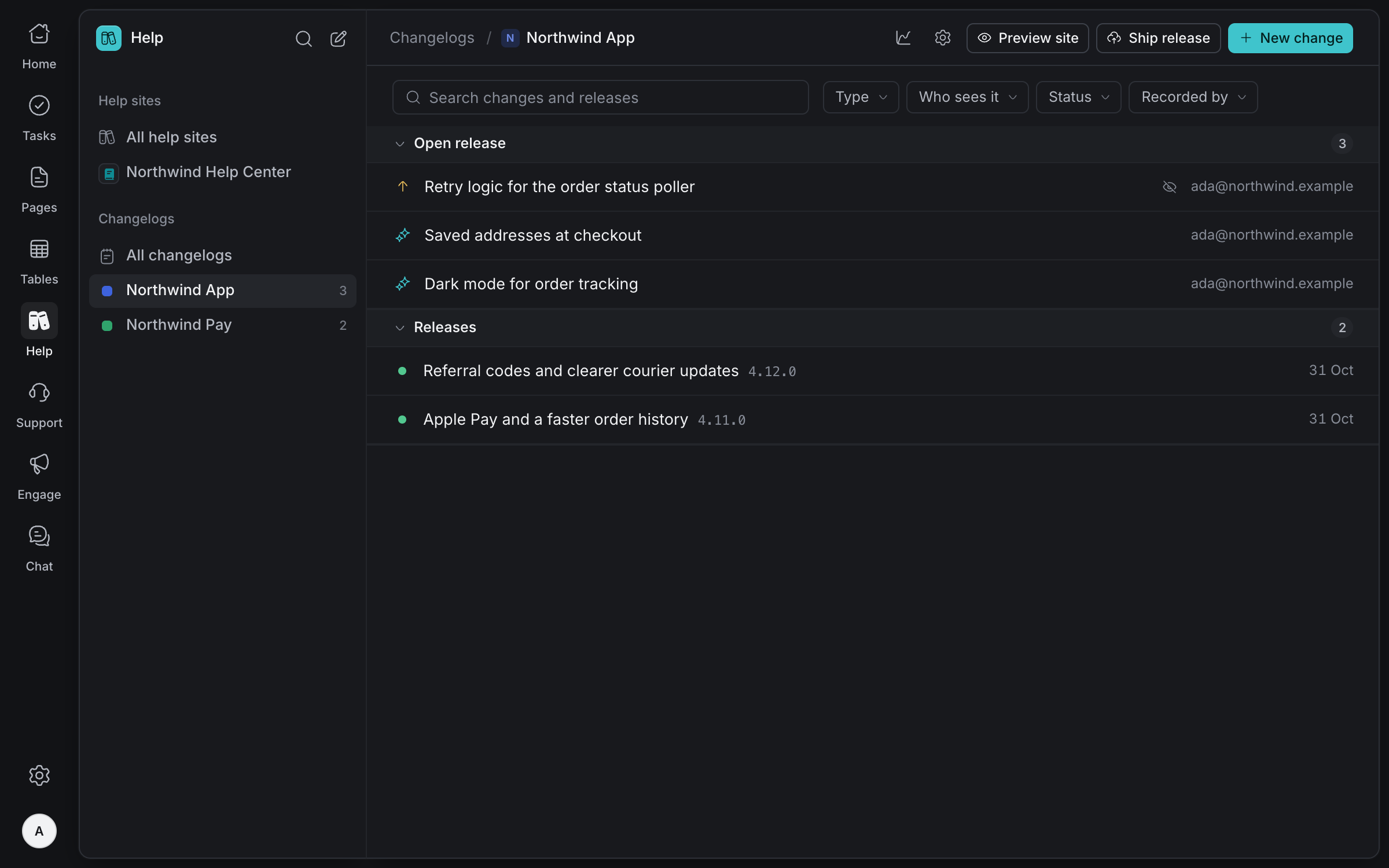
Each change is one line customers understand, with a note only your team sees. Link it to its pull request, its task and the customer who asked, and it waits in the open release.
One line in plain words, with more detail for customers if they need it.
Cause, risk and follow-up, kept from customers.
Record internal work without it reaching the public site.
Its pull request, its task and the support conversations behind it.
Coding agents add a change with each pull request through MCP.
A deleted change can be restored for 30 days.
A production deploy ships the open release with its version and commit. Changes whose pull requests missed the deploy wait for the next one, so nothing is announced early.
Ship with every deploy, every week, two weeks or month, or by hand.
Every pull request in a release needs a change, or a reason it doesn't.
Like 2026.10.31.1, in your changelog's time zone, or your own version numbers.
Leads get an email when a release is waiting, and only they put it live.
Let scheduled releases go live without anyone pressing Publish.
List the repositories a changelog follows, and each deploy is checked for pull requests without a change.
Published releases appear on your own changelog site, with your logo and colour. Beside it, see who reads, which releases they open and what they searched for and didn't find.
Show only new things, improvements or fixes, and press / to search every update.
Readers copy a link to one release and share it.
Use the same look as your help site, or set its own, in light or dark.
A file your apps read to show a What's new screen, and an RSS feed for everyone else.
Visitors, release views, searches and shared links, each against the period before.
Which updates people actually open.
What readers looked for and didn't find, to mention in a change or answer in the help site.
Sources, countries and devices. Your own previews never count.
When a release is out, tell the people who asked for what shipped. Olamma finds them from the change, its task and the support conversations behind it.
People added to a change, whoever reported its task, and customers who wrote to support about it.
Customers only hear about changes they can see on the public site.
Customers are emailed through Support, so their replies reach your team.
Pressing Send again never repeats an email, and you can see whether each one was delivered.
Write the message once. Each person's name, the change and the product are filled in.
Only leads tell reporters, and only once customers can see the release.
Who can see and change a changelog follows its product's project roles.
Agents record changes and check releases, then ask. A lead approves before customers see it.
Schedules and version dates follow your changelog's time zone all year.
Your logo on the site and in Olamma, and a brand colour for buttons and highlights.
Take a release off the public site, and readers no longer see it.
Change a changelog's address, and old links lead to the new one.
Tell us about your team and we'll help you set up your workspace.
Request access