Every customer conversation, in one inbox.
Website chat, email, WhatsApp and in-app messages in one place, with AI agents that answer from your help articles and pass the rest to your team.
Request access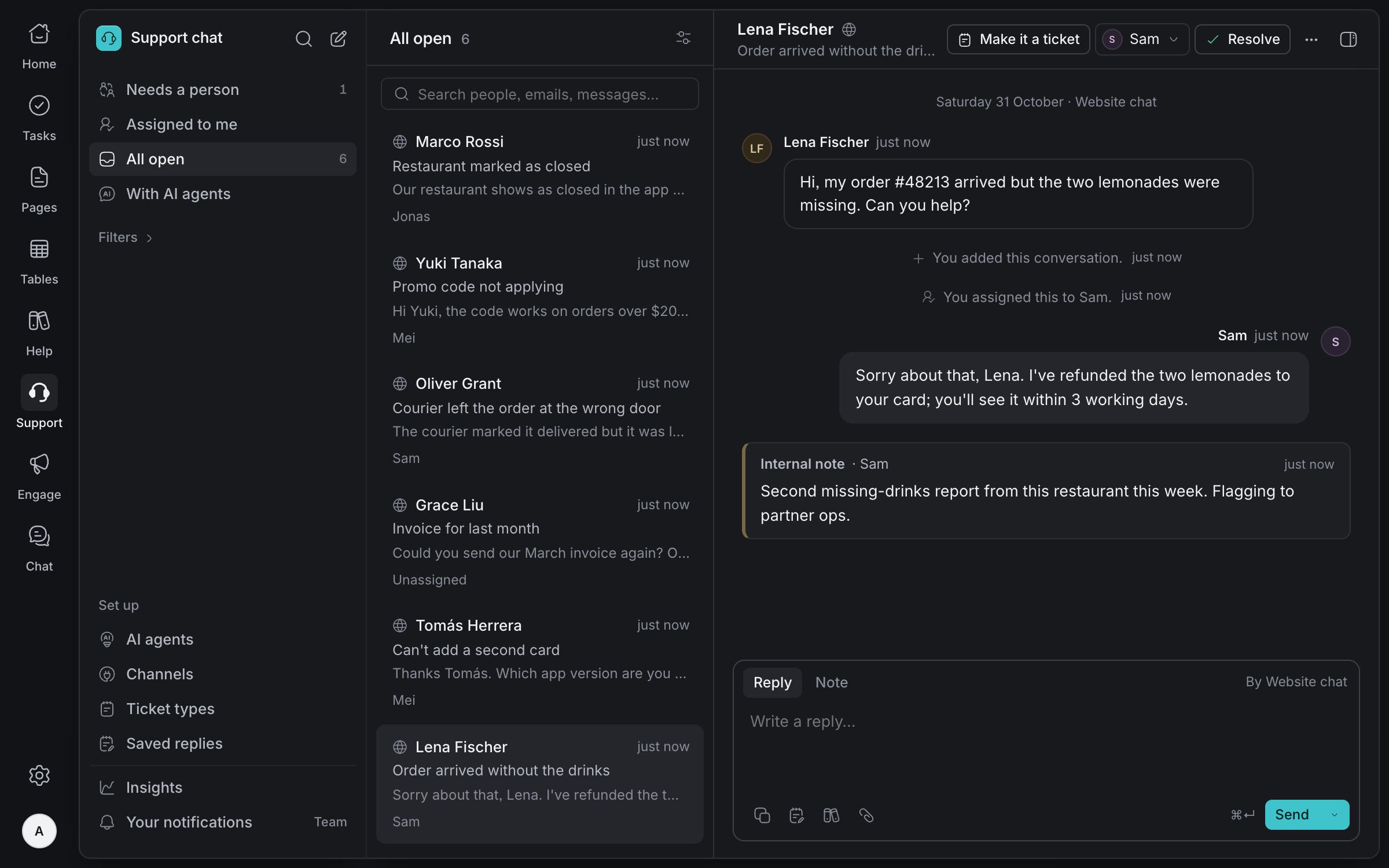
One inbox,
every channel
Customers write from your help site, your support address, WhatsApp or your own app. Every conversation lands in one list, with who owns it and where it stands.
Four channels
Chat on your help site, email forwarded from your support address, a linked WhatsApp number, and chat inside your own app.
Assign and snooze
Give a conversation to a teammate, loop someone in, mark it high priority or snooze it until later.
Unread for each person
Everyone sees what is new to them, with a count in the browser tab.
Live
New messages and replies appear as they happen, without reloading.
AI agents that know
your answers
Each channel has an AI agent. It answers only from the articles you publish on your help sites, says which ones it used, and passes anything else to your team.
Answers from your articles
Choose the help topics each agent answers from. When no article answers, it hands over instead of guessing.
Names its sources
Every answer shows the articles it came from.
Replies, drafts or stays out
For each channel, the agent replies, drafts for your team to send, or leaves it to the team.
Hands over for good reasons
When the customer asks for a person, it is about money, they seem upset, or no article answers it.
Opens tickets
Asks for the details a ticket type needs, like an order number, before passing it on.
Try it first
Ask an agent what a customer would, and see its answer before anyone else does.
Work it
through
Reply in a few keys with saved replies, talk it over in notes customers never see, and turn what customers report into tasks for the team.
Saved replies
Type / to pick one. The customer's first name fills itself in.
Notes only the team sees
Leave context in the conversation without the customer seeing it.
Ticket types
Make types like Refund or Bug report, each with the details your team needs.
Tasks from conversations
Create a task or link an existing one, and see it from the conversation.
Know what
customers need
See how fast customers hear back, how much your agents resolve, why they hand over, and which questions no article answers yet. Only real conversations count.
Reply times
First reply for agents and the team, and how long customers wait for a person.
Why it handed over
The reasons agents passed conversations on, most common first.
Questions no article answers
Each one a click away from a new help article.
What customers said
Votes on agent answers and ratings for the team's conversations.
And everything
else you need
Chat on your help site
A chat button on every page, and a Chat with us link where an article doesn't solve it.
Away message
When nobody is online, customers can leave an email or WhatsApp number for a reply.
Your chat, your look
Choose the greeting and the colour customers see.
Your agents help too
Your own agents can add notes and draft replies, named. Sending a reply waits for a person.
Alerts your way
Each person chooses alerts for the whole team, only their own conversations, or none.
Private by design
Use only AI providers that delete messages after answering. Customer chat tokens are stored hashed.
Answer every customer, wherever they write
Tell us about your team and we'll help you set up your workspace.
Request access