Documents your team will actually find.
Specs, runbooks, release notes and meeting notes, written together, filed by project, and moved in and out as Word, PDF or Markdown whenever you need.
Request access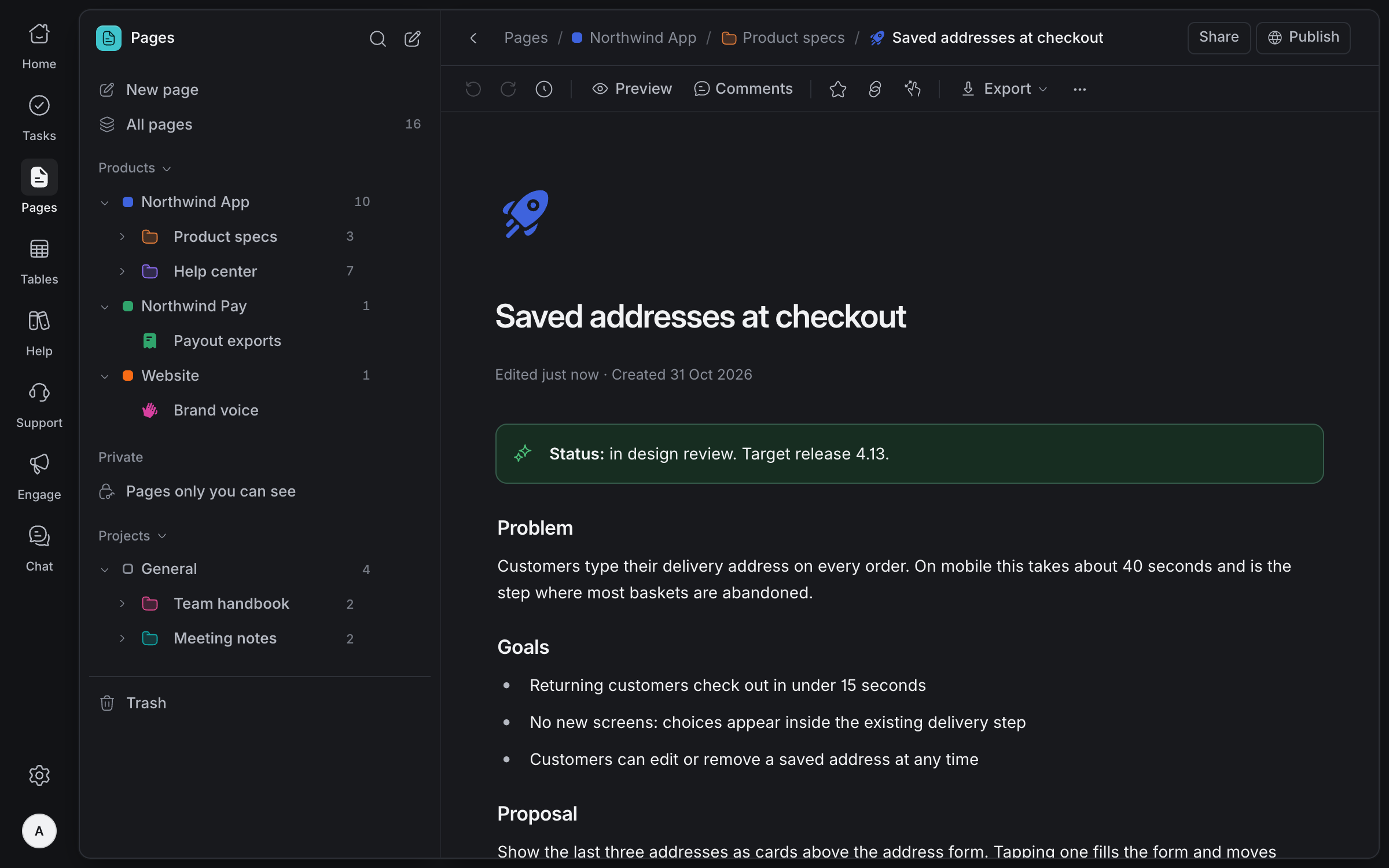
Write without
getting in the way
Type / for any block, or use Markdown shortcuts as you go. Tables, callouts, images and files sit inside the text, and [[ links one page to another.
The / menu
Every block, link and mention in one menu, filtered as you type.
Tables
Drag rows and columns to reorder them, merge cells, and sort by a column.
Links between pages
Type [[ to link another page, or mention a task so its status shows in the text.
Images and files
Drop in pictures and files up to 25 MB; they live with the page.
Works with
the files you have
Bring Word documents and Markdown files in as pages, with their headings, lists, tables and pictures intact. Send any page back out as a PDF, a Word document or Markdown, so nothing is locked in.
Word and Google Docs
Import a .docx up to 25 MB, or export one. Google Docs opens and saves the same files.
Markdown in and out
Turn a .md file into a page, front matter left out, or download any page as Markdown.
PDF for sharing
Export a page as a PDF, laid out for printing, to send to people outside Olamma.
Paste that keeps its shape
Paste from Google Docs, Word or the web and headings, lists and tables arrive as blocks.
Everything
in its place
Every page belongs to a project, filed in colour-coded folders up to three levels deep. Keep private notes to yourself, and browse everything as a list or as cards.
Projects and folders
File pages by product or project, in folders with a name and a colour.
Private pages
Notes only you can see, kept apart from the pages your team shares.
List or cards
Browse all pages as a list, or as cards with each page's cover.
Trash for 30 days
Deleted pages wait in Trash for 30 days, so nothing is lost by accident.
Decide
together
Discuss any block in a thread beside the text. Every save is kept as a version you can compare with the page now, and two people editing at once never overwrite each other.
Comments on any block
Start a thread on one paragraph or on the whole page, and resolve it when it's settled.
Versions
Look back at earlier versions of a page, with who saved each one and when.
See what changed
Compare a version with the page now: removed lines struck through, added lines highlighted.
No lost edits
If someone else saves first, you choose to keep your changes on top of theirs.
Publish when
it's ready
Publish a read-only copy of a page to the web. Later edits wait until you choose Update, so drafts never go out by accident, and you can see how the page is read.
Publish a copy
Readers get the page as it was when you published, until you update it.
Your link, your choice
Turn search engines on or off, reset the link, or unpublish at any time.
Reader insights
Views, visitors, sources, countries and devices, counted without cookies or tracking people.
Links keep working
Rename a published page and its old link still leads to it.
Write-ups
people follow
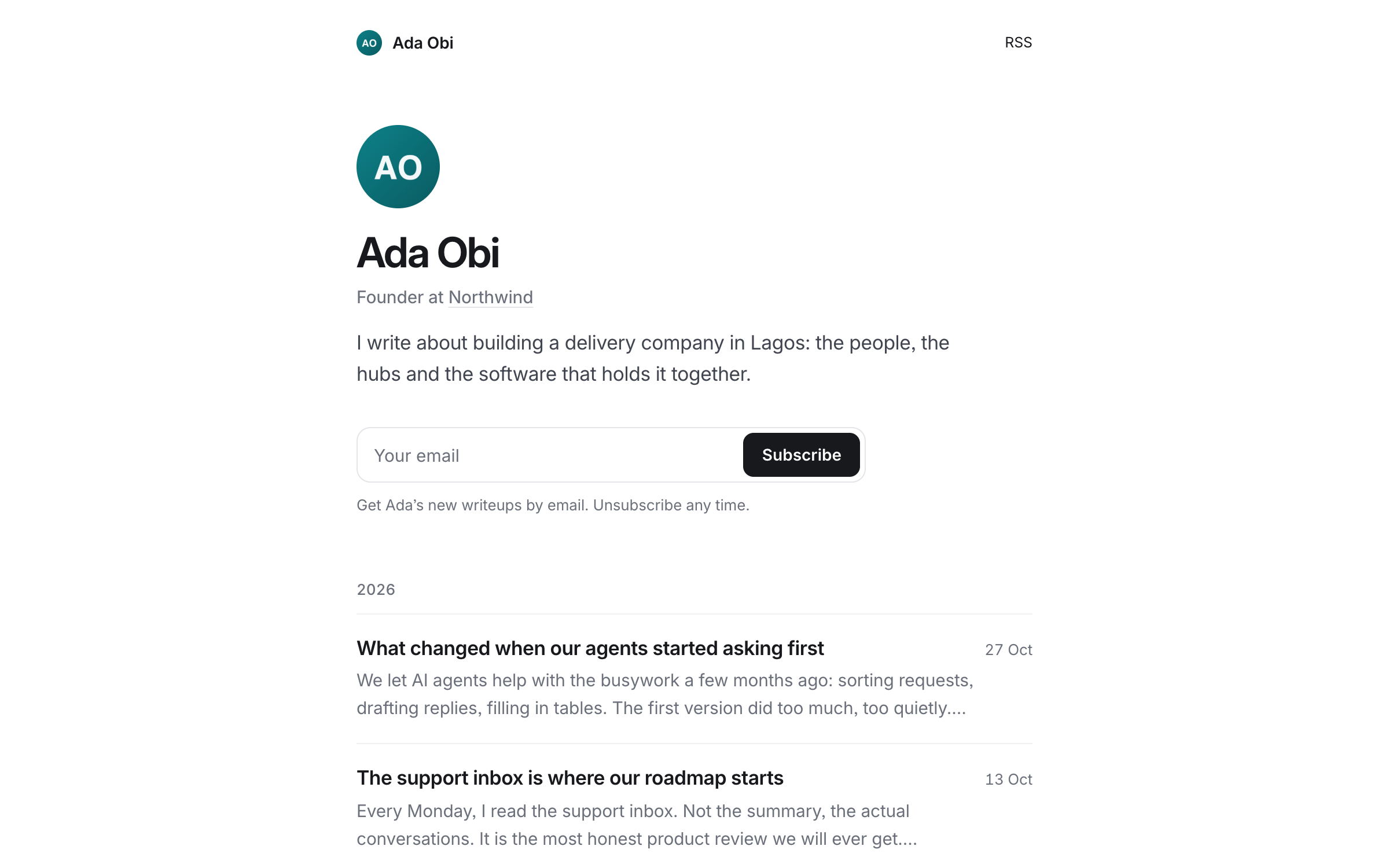
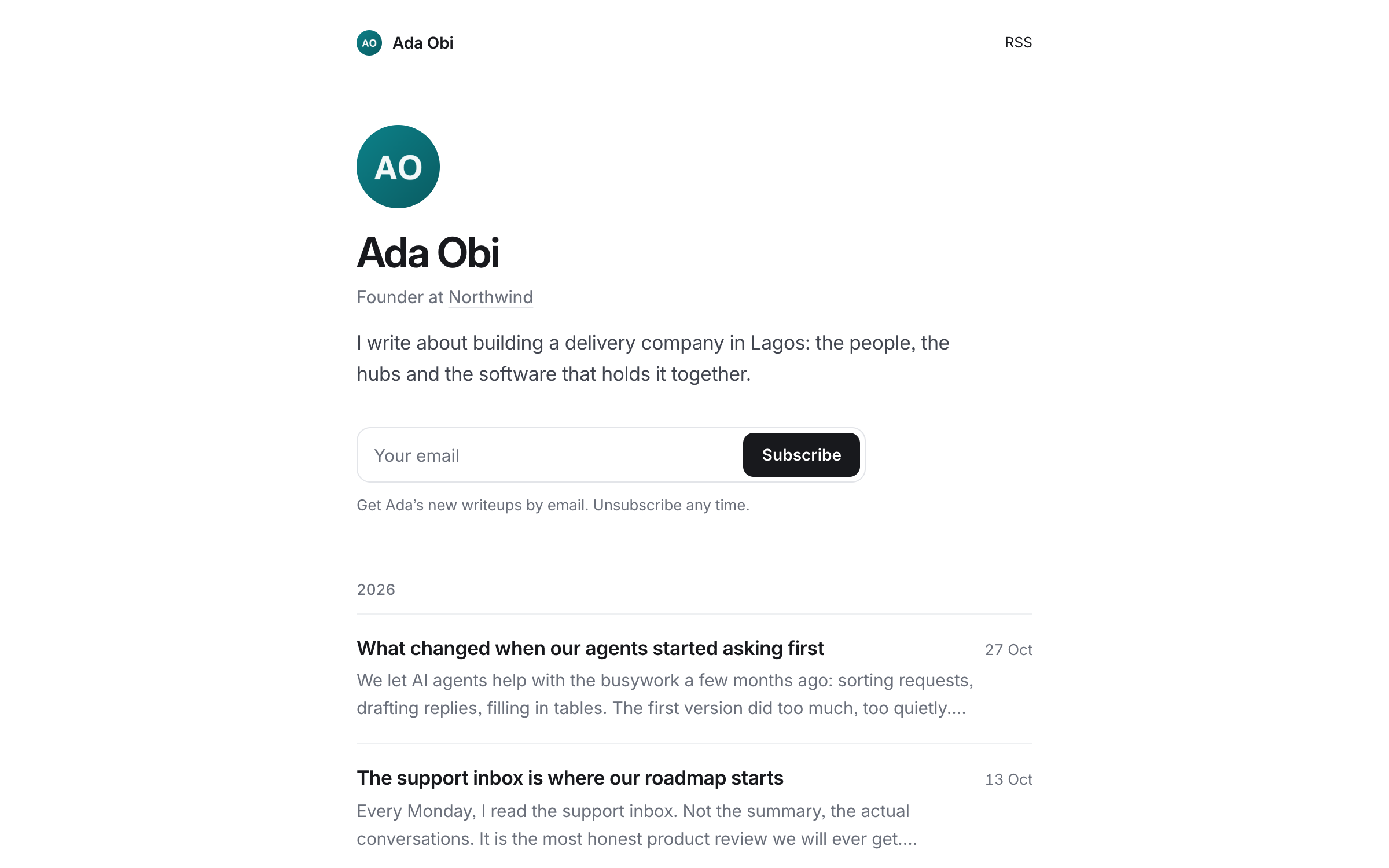
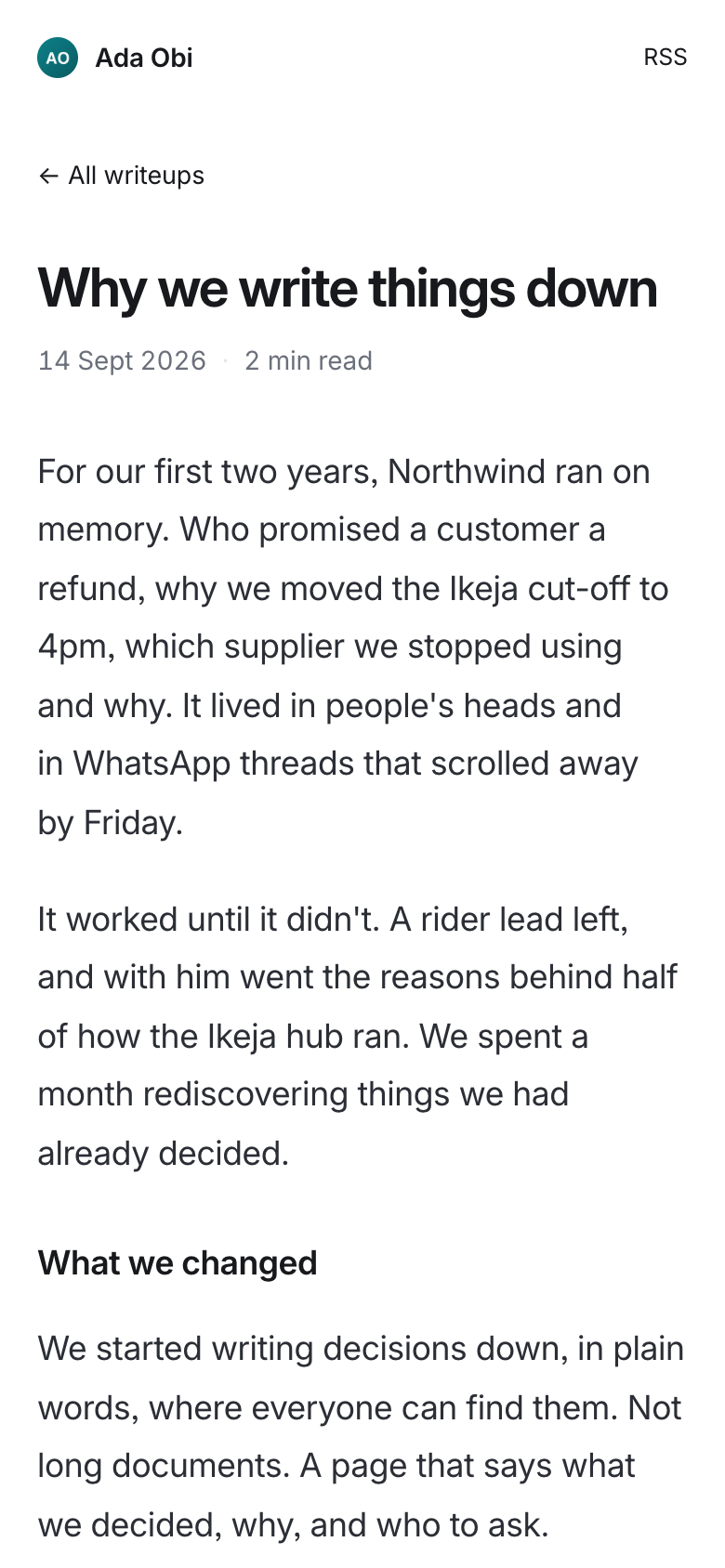
Post any page as a write-up, to your team or to the web. Each writer gets a public page of their own, with an RSS feed and email subscribers, so people can follow along.
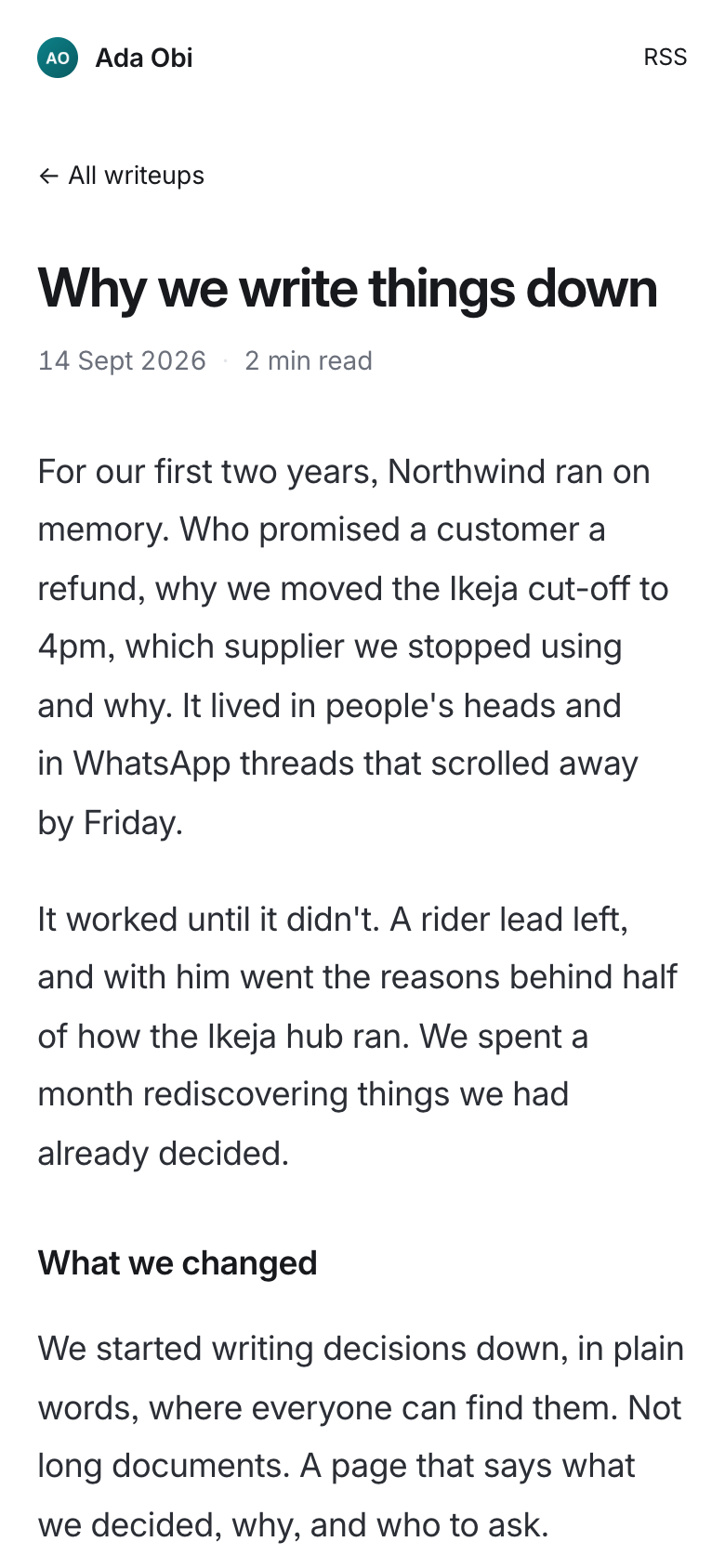
Team or the web
Post to your team, who see it in their feed, or to anyone with the link.
A page of your own
Your photo, your role and your writing by year, with a subscribe box and RSS.
Drafts stay drafts
The web sees the copy you posted. Later edits go out only when you update it.
Follow your team
Follow the people whose writing you want to see, and filter the feed to them.
Your team's feed,
and your readers
Write-ups sit beside your pages: one feed of what your team wrote, and how far each piece was read.
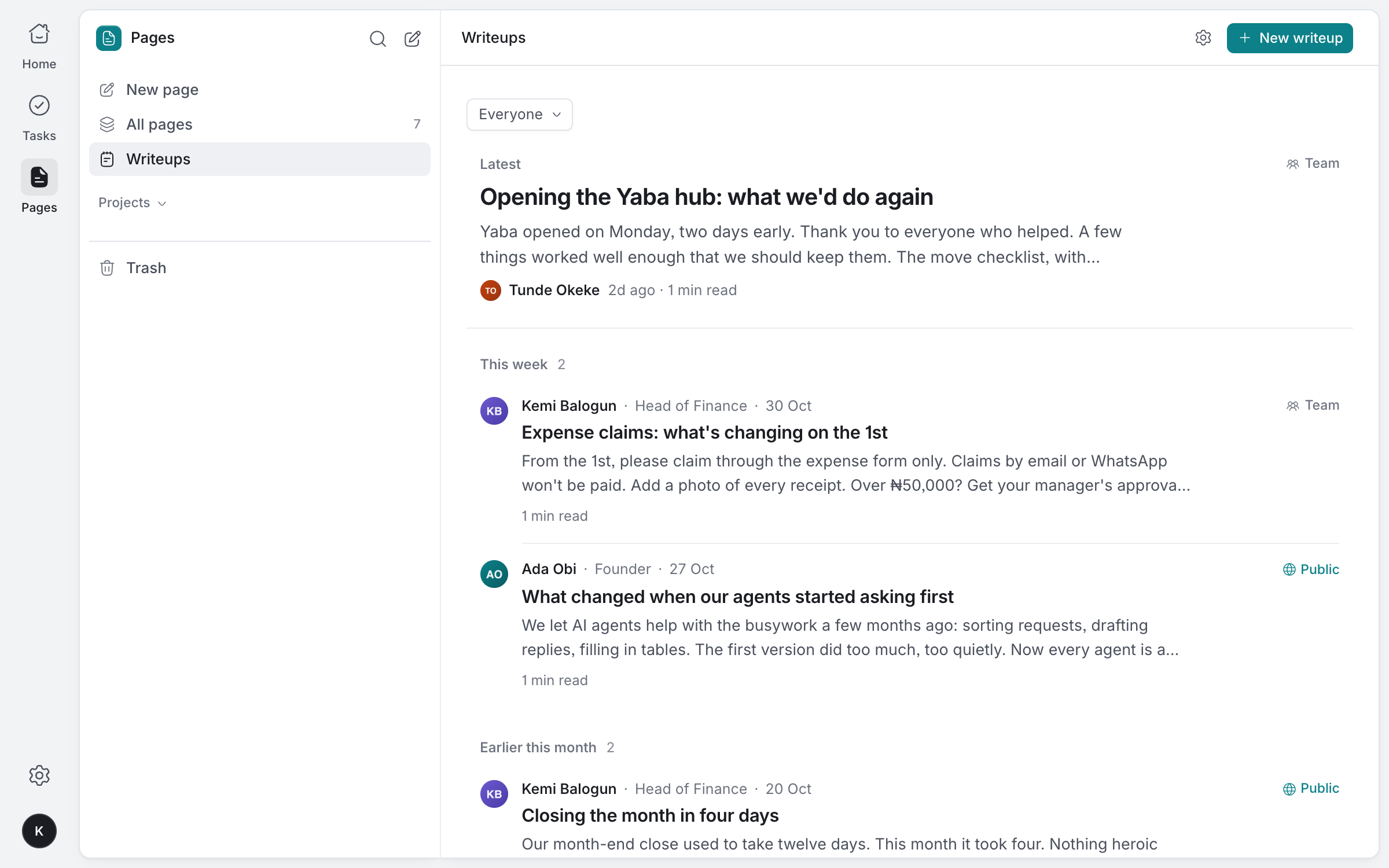
Team and public write-ups, newest first, with who wrote each one and their role.
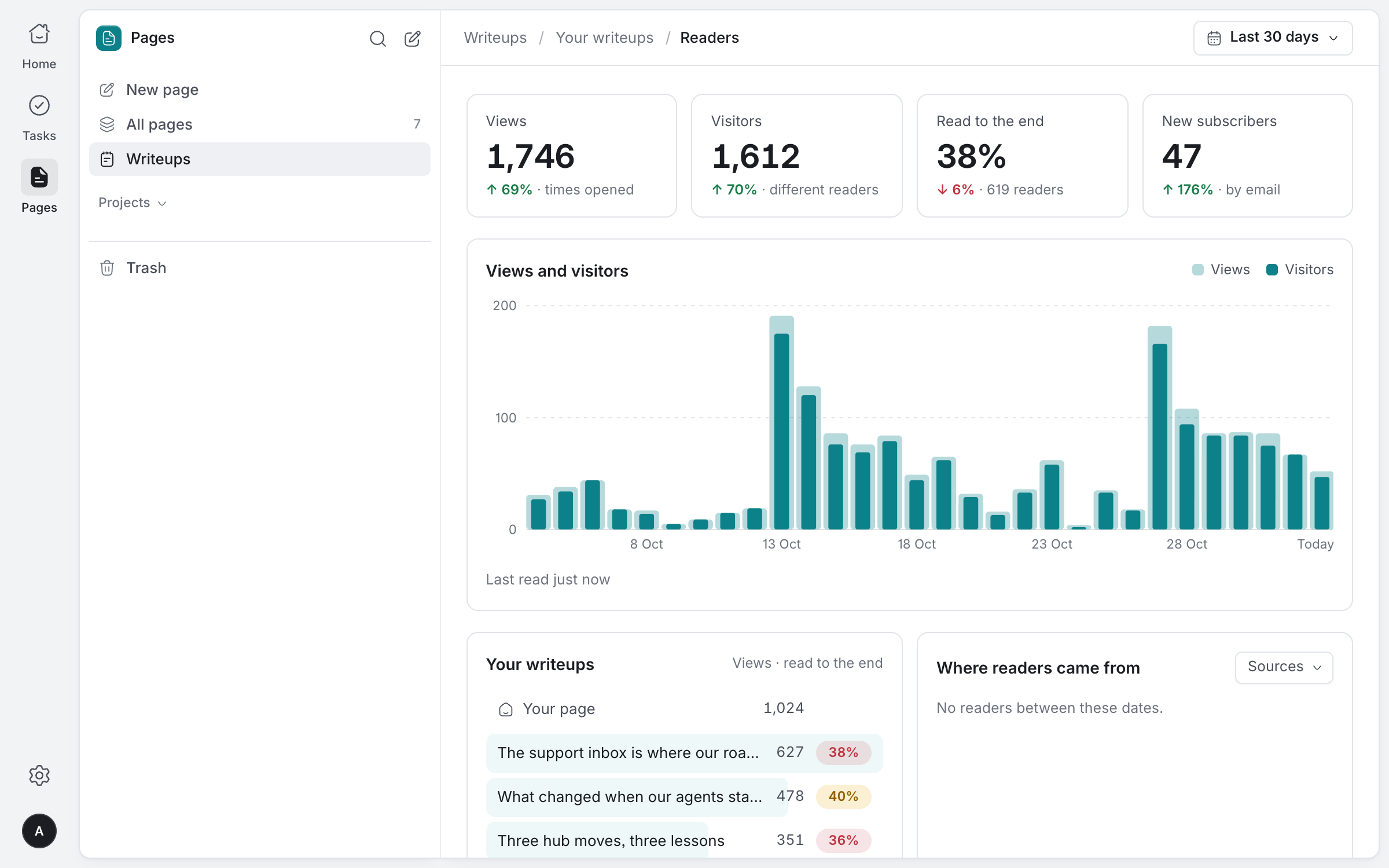
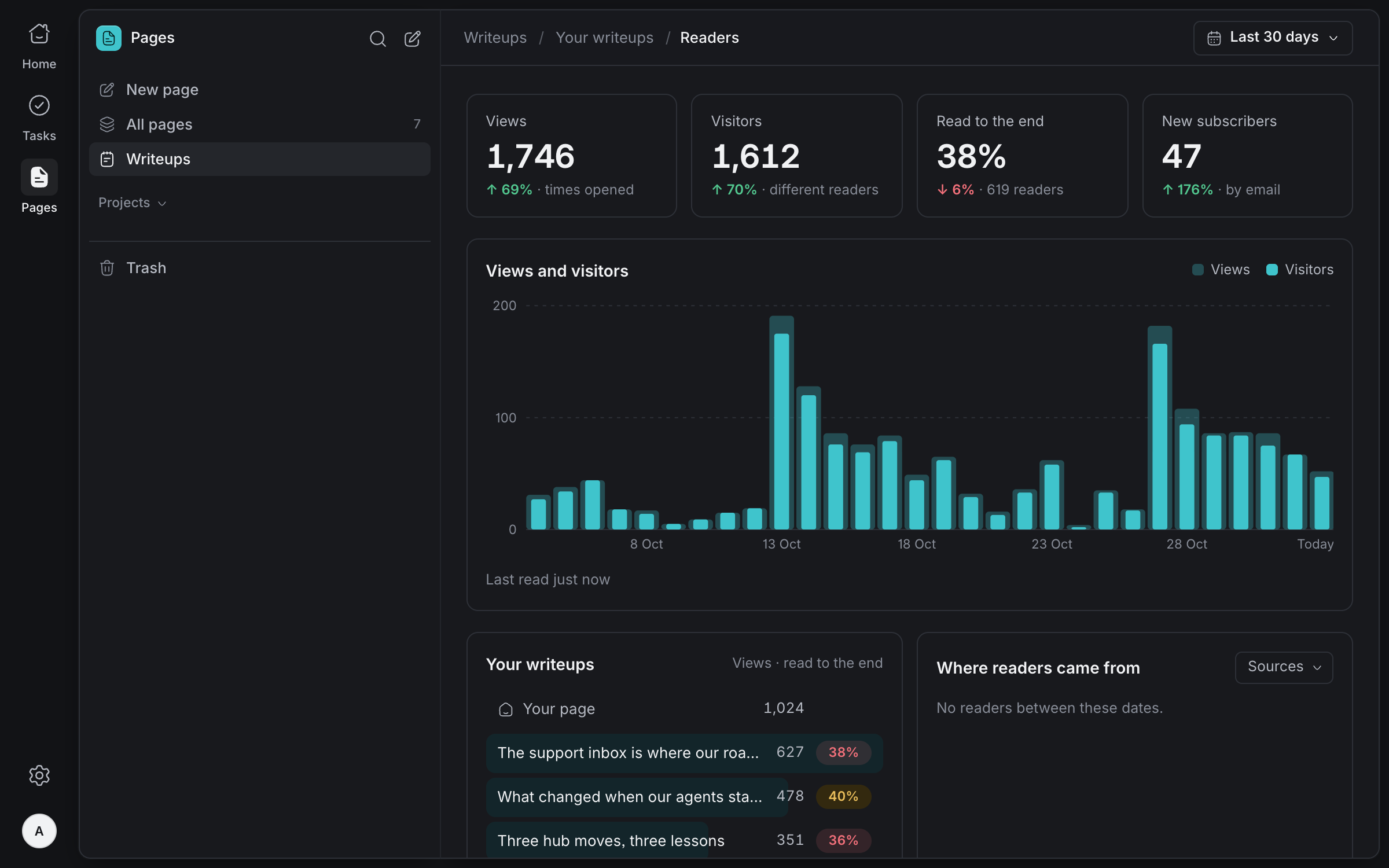
Views, readers, how many read to the end and new subscribers, for each piece and your page.
Every block
you need
Type / to add any of them, or start a line with a Markdown shortcut and keep typing.
- Text
- Headings# ## ###
- Bulleted list-
- Numbered list1.
- To-do list[]
- Toggle
- Quote>
- Callout
- Code```
- Divider
- Table
- Image
- File
- Link card
- Date
And everything
else you need
Templates
Start a page from a template instead of a blank sheet.
Smart typing
Dashes, arrows and curly quotes as you type, and :name for any emoji.
Covers and icons
Give a page a cover from the gallery or your own image, and an icon to spot it by.
Search and find
Search every page's title and text, and find and replace within the page you're on.
Mentions and dates
Mention a task or drop in a date chip, and they stay linked to the real thing.
Agents read and write
AI agents write pages as Markdown and join comment threads. Publishing waits for a person.
Give your team's documents a home
Tell us about your team and we'll help you set up your workspace.
Request access